Remember when parents had to pack entire suitcases of toys and books just to survive a plane ride? Yeah, those days are gone.
I know the screen time debate is real. But when you’re stuck in the middle seat on a five-hour flight with a cranky three-year-old, that Amazon Fire tablet becomes your best friend. There is no way I’m going to judge you when I’ve been using tablets to help all of us get through flights for over a decade.

My kids have been testing Kindle Fire apps since they could barely swipe a screen. Now that they are teens, we are all in on the Nintendo Switch but still have our Fire tablets, since we only have one Switch and two kids (plus a husband who loves to play).
Some apps got deleted off the Kindle after five minutes. Others became so beloved that we’re still using them years later.
I still test out the best games for toddlers with help from my friends’ kids, because as we all know, if you can help a parent with a kid about to melt down, you get good karma points from the travel fairies (ha! Kidding… sort of).
Here’s what actually works for travel with young kids. Not the apps that sound good in theory. The ones that buy you 30 minutes of peace while you’re trying to get through airport security without losing your mind.
Why the Kindle Fire Works Better Than Your Phone
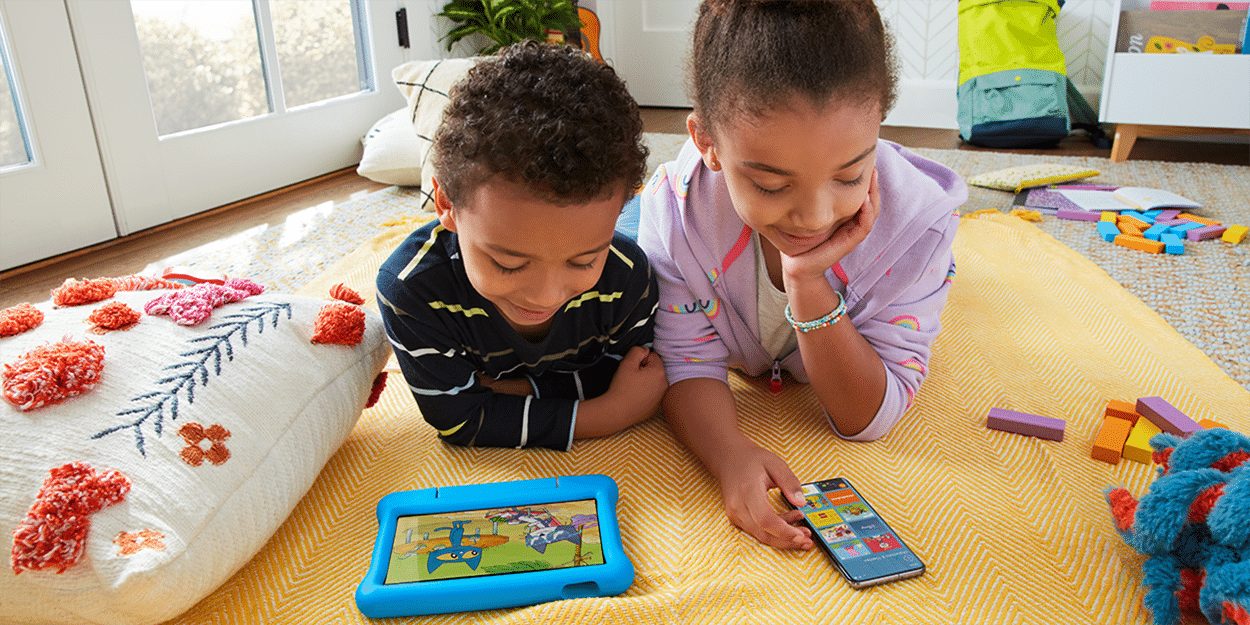
The Amazon Fire HD 10 Kids has become a travel essential. That kid-proof case has survived drops onto concrete, getting kicked under airplane seats, and thrown from a stroller (don’t ask).
The Amazon Fire HD 10 Kids tablet comes with 32GB of RAM, which means apps actually run smoothly instead of freezing every two minutes. Trust me, a frozen screen when your kid is already over travel is not the moment you want to deal with technical issues.
Battery life is 13 hours, which has saved us during flight delays, flying across the ocean, and when I accidentally pack the charger in our checked bag.
Plus, you get a year of Amazon Kids+ included (after that, it’s $5.99/month, which is way less than buying individual apps). The 2-year worry-free guarantee means Amazon replaces the device if something goes wrong, too.
And with kids? As we all know, something catastrophic will eventually happen.

Apps That Actually Keep Kids Busy (Without Your Help)
Khan Academy Kids
This is probably the best free educational app out there. My kids didn’t even realize they were learning while playing it.
The app covers reading, math, phonics, and problem-solving through games, videos, and interactive activities. What makes it perfect for travel is that it’s completely free with zero ads, and you can download content for offline use.
The activities are short enough to hold a toddler’s attention but substantial enough to actually teach something. My friends with kids all have this one loaded too.
Where to get it: Amazon Appstore (free)
PBS Kids Games
If your kids love Daniel Tiger, Wild Kratts, or any PBS show, download this immediately.
Daniel Tiger’s games have this weird magic where they actually make my kids more cooperative in real life. The “Play at Home with Daniel” sections walk them through bathroom time, playtime, and bedtime routines.
Where to get it: Amazon Appstore (free)
Teach Your Monster to Read
This app turns learning to read into a video game. Kids build a monster, then teach it to read through three levels that get progressively harder.
It adjusts to your child’s reading level automatically and keeps them engaged without dumbing things down. Plus it works offline once you download it, which is essential for planes.
Where to get it: Amazon Appstore (one-time purchase around $9.99)
Endless Alphabet
For pre-readers who aren’t quite ready for full reading apps yet, this one is gold.
Each letter comes with a fun animation and a simple word. The drag-and-drop letter sounds help kids connect letters with phonics. The animations are hilarious, which means they’ll actually ask to play it instead of fighting you on “learning time.”
Where to get it: Amazon Appstore (free version available, full version is a one-time purchase)
Toca Boca Apps
Toca Boca makes creative play apps without rules or levels to “beat.”
Kids can create characters, design homes, explore different locations, and act out scenarios. There’s no way to fail or lose, which means way fewer meltdowns.
Toca Kitchen 2 is perfect for restaurant-obsessed kids. They cook ridiculous meals and feed them to characters who react in funny ways. It’s totally silly and kids can use it independently for longer stretches.
Where to get it: Amazon Appstore (prices vary by app, usually $3.99-$4.99)
Dr. Panda Apps
Dr. Panda games are simple enough for young kids but interesting enough to actually hold their attention. Dr. Panda’s Restaurant and Dr. Panda’s Ice Cream Truck are favorites.
The colors are bright, the controls are intuitive, and there’s no failing. You just play and explore. Perfect for keeping little hands busy while you’re dealing with luggage or waiting at the gate.
Where to get it: Amazon Appstore (usually $2.99-$4.99 per app)
Sago Mini Apps
Sago Mini makes adorable apps for the youngest tablet users (2-3 year olds). Sago Mini World gives access to a bunch of their games in one subscription.
The characters are cute, the activities are simple, and toddlers can navigate them without constantly needing help. When your two-year-old can actually use an app independently? That’s a travel win.
Where to get it: Amazon Appstore (subscription-based)
Peekaboo Barn
This one is perfect for babies and young toddlers. Tap the barn door, an animal pops out, makes its sound, and the app tells you what it is.
Super simple, but it kept my youngest entertained during those early travel days when he was too young for anything complicated, and his attention span was that of a gnat.
Where to get it: Amazon Appstore (one-time purchase around $1.99)
Dr. Panda’s Airport
This one is perfect if you’re prepping your kids for an upcoming flight. Kids help animals go through security, stamp passports, find luggage, and even help planes land safely.
It makes the whole airport experience way less scary for little ones. My kids were obsessed with this before every trip because suddenly, security checks and boarding felt like a game instead of something stressful.
The graphics are cute, the controls are simple, and there’s no way to fail or lose. Kids just explore and learn about how airports work.
Where to get it: Amazon Appstore (usually $2.99-$4.99)
Pepi Bath
Teaching toddlers about hygiene can be a battle. This app makes it easier.
Kids choose a character (boy or girl) and help them through bathroom routines like washing hands, brushing teeth, taking a bath, and using the potty. Everything centers around getting clean, which somehow makes real-life bathroom time less of a fight.
There’s a free version to try, then paid upgrades if your kid loves it. The characters react to what kids do, which keeps them engaged. And yes, there is a lot of bathroom silliness involved.
Where to get it: Amazon Appstore (free with paid upgrades)
Wild Kratts Rescue Run
If your kids love the Wild Kratts PBS show, download this immediately. It’s a runner game where kids play as Chris, Martin, or Aviva and use different creature power suits to rescue animals.
The game has 24 levels that take you through rainforests, deserts, and snowy forests. You can adjust the running speed based on your kid’s age and skill level, which is actually really helpful.
Kids unlock animal facts as they play, so they’re learning while they run and jump. It’s educational without feeling like homework.
Where to get it: Amazon Appstore (around $2.99)
Monkey Preschool Lunchbox
This app has been around forever and it’s still one of the best for young kids. A silly monkey guides your child through mini-games that teach colors, counting, matching, letters, and basic puzzles.
Kids earn stickers as rewards. The games flow right into each other, so there’s no complicated menu navigation. Perfect for kids who are just learning to use a tablet.
I keep this one on my phone for when the toddlers in my life need a quick distraction.
Where to get it: Amazon Appstore (usually $1.99)
Angry Birds
Angry Birds tests hand-eye coordination and makes kids think about physics and problem-solving (even if they don’t realize it). The one-touch controls are simple enough for young kids but challenging enough to keep older siblings engaged.
I only let my kids play this on planes when they were little. It became their special airplane treat, which made flying feel more exciting.
Fair warning: it’s addictive. Set time limits or you’ll never get the tablet back.
Where to get it: Amazon Appstore (free with ads, or paid ad-free version)
Minecraft
Even young kids (5+) can play in Creative Mode where there’s no fighting or dying. They just build and explore. It’s basically digital LEGOs with unlimited blocks.
My kids weren’t ready for full Minecraft at 4 or 5, but once they hit that age, this became the go-to travel app. It keeps them busy for hours and actually encourages creativity and problem-solving. Now, as teens, they still play Minecraft with friends, and when we travel.
Just remind everyone to save their progress and put it down occasionally.
Where to get it: Amazon Appstore (one-time purchase, around $6.99)

When You Just Need Quiet Time
Sometimes you don’t need educational value. You need 20 minutes of peace while you handle something. Try these apps for those moments you just need the kids to be plugged in.
Netflix Kids
Set up a kids profile before you travel, download their favorite shows, and you’ll have instant quiet time. The kids profile automatically filters content by age.
Just remember to download shows before you leave home. Hotel Wi-Fi is never fast enough when you actually need it.
Where to get it: Netflix app (requires Netflix subscription)
Amazon Kids+ Shows and Movies
If you’ve got Amazon Kids+ (which comes with the Fire tablet), you already have access to tons of shows and movies. Download favorites like Bluey, Peppa Pig, or whatever your kid is currently obsessed with before you travel.
The key is downloading everything ahead of time. Never rely on airplane Wi-Fi.
Where to get it: Built into Amazon Kids+ subscription
YouTube Kids
Controversial take, but YouTube Kids can work for travel if you curate it ahead of time. The key is downloading specific videos or playlists before your trip so your kid isn’t randomly clicking through garbage content at 30,000 feet or in your hotel.
I created playlists of specific channels we trust, downloaded them, then turned off Wi-Fi so my kids could only watch what was already saved.
Where to get it: Amazon Appstore (free)

Setting Everything Up Before You Leave
This is important. Do not skip this part, or you’ll be cursing yourself in the airport.
Charge Everything
Obviously charge the tablet. But also grab a portable charger with attached USB-C so you’re not fighting strangers for outlets at the gate. The Fire tablets use USB-C charging (FINALLY!), so make sure your portable charger has the right cable.
Download Everything Offline
Download shows, games, books, whatever you think your kid might want. Airport Wi-Fi is unreliable. Airplane Wi-Fi can be slow or non-existent.
Most apps let you download content for offline use. Do it before you leave your house.
Get Decent Headphones
The iClever Kids Headphones were our go-to for years. They’re wired (no Bluetooth pairing), they have volume limiting to protect little ears, and they’re under $20.
The sharing port is great for siblings who want to watch the same thing without needing a splitter.
For older kids who want wireless options, the JBL Kids Wireless Headphones are perfect and still have volume limiting built in.
Bring Backup Cables
USB-C charging cables disappear into some black hole when you travel. Keep a spare USB-C cable in your carry-on at all times.
Set Up Parental Controls Before You Hand Over the Tablet
Learn from my expensive mistake. Back in the day, my oldest once spent $30 on TV shows when he was barely three because I handed him the tablet without parental controls activated. He just kept hitting buttons until it let him watch what he wanted.
Use the Amazon Parent Dashboard to set up profiles for each kid. You can block purchases, set time limits, turn off web access, and control what apps they can use. Do this before your trip, not during.

Travel Accessories That Make Everything Easier
Beyond the tablet itself, a few accessories have made our lives so much better.
For road trips, these mounts attach to the headrest and keep the tablet at eye level. No more holding it for hours or dealing with neck strain.
Keep the tablet, headphones, charger, and extra cables all in one place so you’re not hunting through your bag at security.
The Fire tablets have expandable storage. A microSD card gives you room for tons of downloaded shows and apps.
Apps to Skip (Learn From My Trial and Error)
Not every app is worth the download space. Here’s what to avoid.
Any app with tons of in-app purchases or constant upgrade prompts gets immediately deleted. Your kid will accidentally click “buy” and you’ll be dealing with refund requests instead of enjoying your trip.
Skip anything with complicated controls that require constant parent intervention. The whole point is that your kid can use it independently.
Be careful with apps that need an internet connection to work. They’re useless on planes and annoying in cars when you hit dead zones.

Why Screen Time Is OK While Traveling
I see parents at airports looking guilty while their kids play on tablets. Stop. Just stop.
Your kid playing educational games on a tablet during a flight is not the same as them mindlessly watching YouTube for six hours at home. Context matters. You’re keeping them (and everyone around you) sane in a genuinely difficult situation.
We have reasonable limits at home. But travel days are different. And honestly, after watching my kids navigate apps, solve puzzles, follow multi-step instructions, and learn new things, I’m convinced tablets can be incredible learning tools when used thoughtfully.
The goal isn’t to keep your kid glued to the screen for the entire trip. It’s to have reliable options when you need them. Most kids naturally rotate between the tablet, looking out the window, reading books, coloring, and yes, annoying their siblings. The tablet is just one tool in your travel survival kit.
If you find your kid plugged in too long, tell them they can play for X amount of time, but then they need to do something for an equal amount of time to get more tablet time. We had to put this into action on long road trips.

Building Your App Collection Without Breaking the Bank
Start with the free apps to figure out what your kid actually likes. Some kids love puzzles, others want creative play, some just want to watch videos. Don’t spend money until you know what’ll actually get used.
Try the free or lite versions first. Make sure your kid likes the app before you shell out money for the full version.
Invest in apps that multiple kids or ages can use. LEGO games turned into LEGO apps are worth it because they grow with your kids.
The apps I’ve listed have survived multiple “delete everything they never use” purges before trips. They’re tried and tested by my kids, my friends’ kids, and, at this point, probably thousands of other families.
Getting Your Fire Tablet Travel-Ready
The Fire HD 10 Kids is my current favorite with its bigger 10.1″ screen and hefty battery life. Perfect for long flights.
If you’re on a tighter budget, the Fire HD 8 Kids is fantastic and more portable. Both come with the kid-proof case, 2-year warranty, and a year of Amazon Kids+.
The Fire 7 Kids is the most affordable option if you’re just testing out tablets with your kids. It has a smaller screen and shorter battery life, but still entertains younger kids.
Planning More Than Just Your Apps
Once you’ve got the tablet figured out, check out my other free travel resources. The Weekend Trip Planner helps you maximize short getaways without losing your mind, and the Vacation Planner Checklist makes sure you don’t forget anything crucial.
Planning a road trip? My Road Trip Planning Guide covers everything from route planning to keeping kids entertained for hours without screens.
Heading overseas? My Jet Lag Guide is essential for international travel with kids. It’ll save you days of misery.
Need detailed destination planning? Check out my travel guides for specific locations with day-by-day itineraries.