I am a very slow learning. You would think after almost 3 years of living with Dek I would know how smart he is. But no. It took $32.99 worth of downloads to remind me.
Until recently Dek did not get to use my Kindle Fire unless we were traveling. There was no wi-fi connection in the car or plane. I didn’t care if be touched every button on the screen.
And then Ty was born.
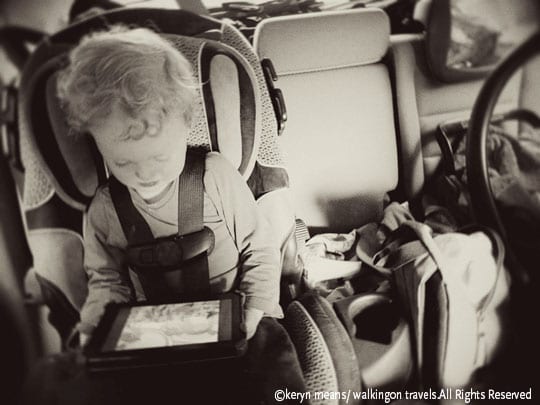
To save my sanity and grab a few extra Zzzs I would let Dek crawl into bed with me at whatever ungodly hour he decided to get up. I’d hand him my “book” as he likes to call it, with an educational cartoon loaded up. As with most toddlers this was not good enough. He knew he had options. He would soon discover just how many.

On our Amazon Prime membership we can watch a lot of videos for free instantly. You can also choose to purchase them. Apparently no one ever sent Dek the memo that we didn’t have to buy just to watch.
Tip: Lock Your Kindle, iPad or tablet before you ever hand it to your kid
Dek started out slowly. He bought a $2.99 app. I don’t even think he realized it. He certainly never played the game.
Next up was the entire first season of Lunar Jim; a $19.99 purchase. Red flags should have gone up then. Fireworks in my face should have been telling me to lock down my Kindle. But no. I just wrote it off as a fluke and went back to sleep.
Well last week he bought himself Season 1 of Super Why.
Lesson learned.
For any parent out there who was not smart enough to lock their Kindle Fire the moment it arrived, here is your very simple how-to.
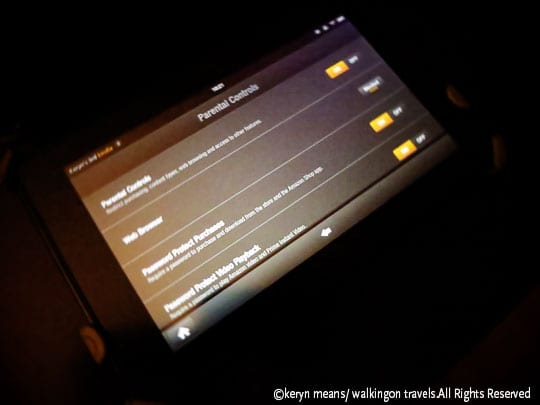
How To Lock Your Kindle Fire
- Go into Settings
- Click Parental Controls (click +more if you don’t see it right away)
- Slide “Parental Controls” to ON
- Set your password
- Done
You can then go in and password protect not only purchases but what kind of content your kids can see without a password, like video playback, apps, books and music.
Yes, it is that simple. No more excuses and no more blaming your kids for racking up a nice little Amazon bill.
Your kid is always smarter than you think.